Every Gas Detector, Harness and Extinguisher Inspected. On Every Site.
ToolWorks gives oil and gas safety teams one place to schedule, inspect, and document the safety equipment they own, from the field office to the furthest wellsite.
Start Tracking NowSound familiar?
- Bump test and calibration records live on the docking station, a spreadsheet, or nowhere
- A monitor goes out with an operator, and nobody can say when it was last checked
- Harnesses and slings move between rigs, and their inspection history doesn't move with them
- A turnaround brings in hundreds of contract workers, and you can't confirm who's qualified to inspect what
- Pulling records for an OSHA visit, an operator audit, or an insurance review takes days
The equipment that keeps your people safe, in one place
Oil and gas sites carry more safety equipment per person than almost any other industry, spread across fields, plants, and rigs. ToolWorks gives each item a barcode or QR code, an inspection schedule, and a complete history.
- Gas detection: H2S monitors, four-gas and multi-gas detectors, fixed-detector checks
- Fall protection: harnesses, lanyards, self-retracting lifelines, anchors
- Respiratory protection: SCBA, supplied-air systems, escape respirators
- Fire protection: portable fire extinguishers, fixed suppression, fire alarm systems
- Lifting: rigging, slings, shackles, and lifting hardware
- Emergency response: eyewash stations and emergency showers, emergency lighting and egress
- Hazardous work: hot work, flammable and combustible liquids storage, lockout/tagout devices
- Access: portable ladders and climbing equipment
Start from standards-based checklists
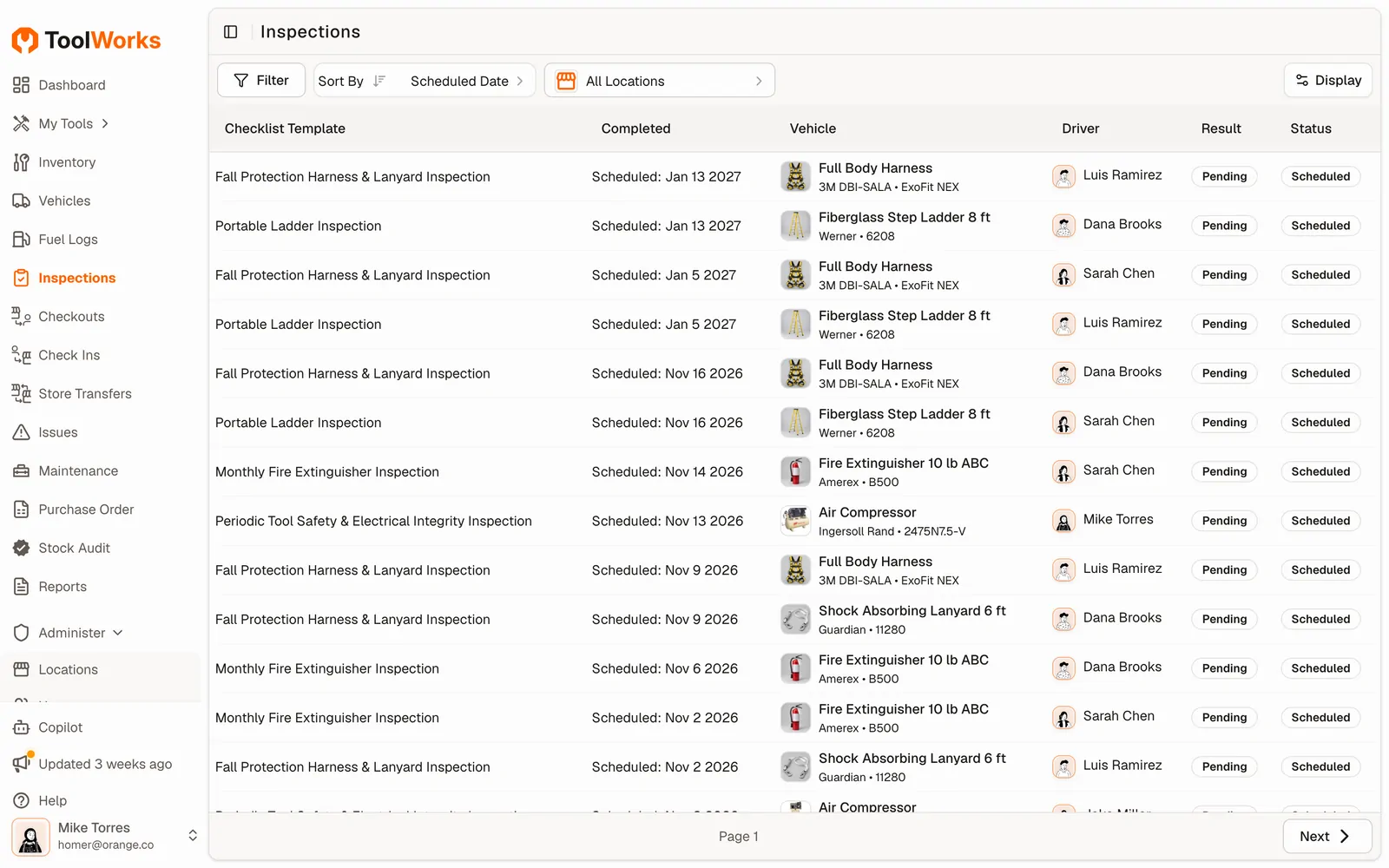
Presets based on OSHA, ANSI and NFPA cover fall protection harnesses and lanyards (ANSI Z359), rigging and slings, portable fire extinguishers (NFPA 10), fire alarm and water-based fire protection systems, emergency egress and lighting, hot work, flammable liquids storage, and ladders. Edit any of them to match your program.
For gas detectors, respirators, eyewash stations, and lockout/tagout, build your own checklist in minutes. Record bump test and calibration results as numeric readings, add photos, and require a signature.
Inspect at the wellsite, with or without signal
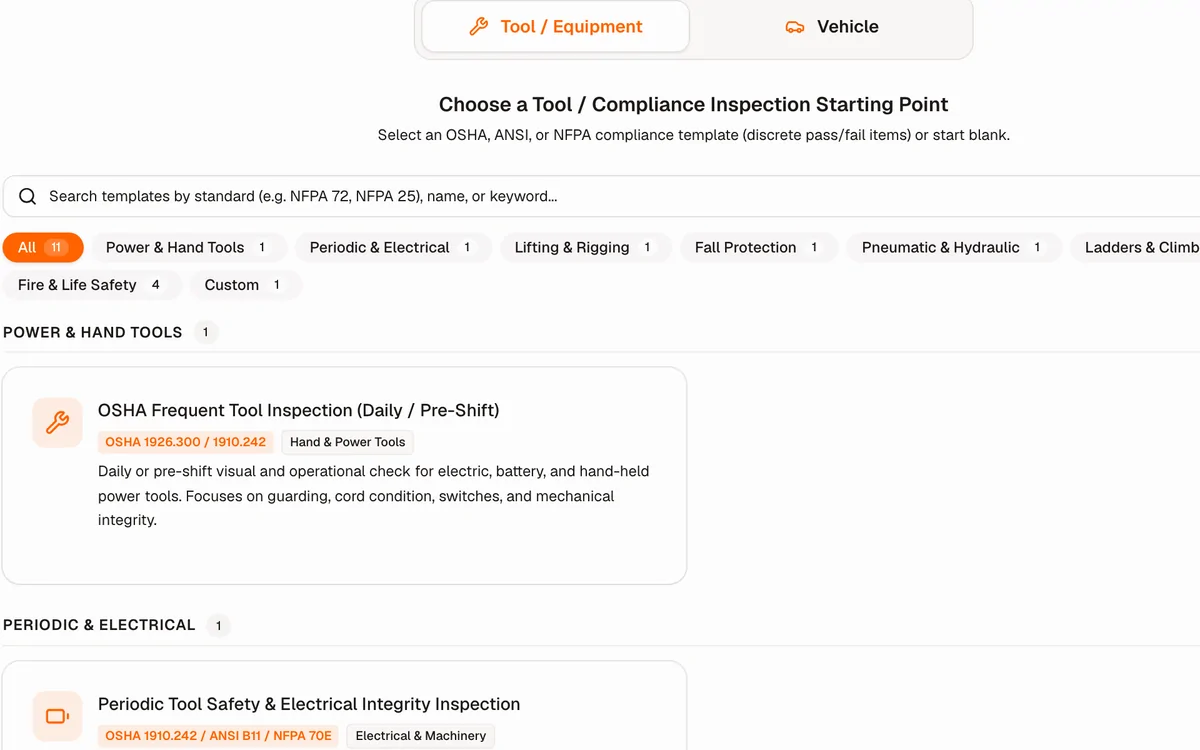
Remote locations don't have reliable coverage. The ToolWorks mobile app works offline: inspectors scan the equipment, complete the checklist, take photos, and sign. Everything syncs when they're back in range, so nothing waits for the drive back to the field office.
Failed equipment stays out of the field
When a harness, sling, or detector fails, the inspector records the failure reason, severity, and photos. Failed equipment is marked out of service and can't be checked out, so it doesn't end up on the next crew's truck.
Turnarounds and shutdowns without the paperwork scramble
A turnaround compresses months of inspections into weeks, with contract crews you haven't worked with before. ToolWorks keeps you ahead of it:
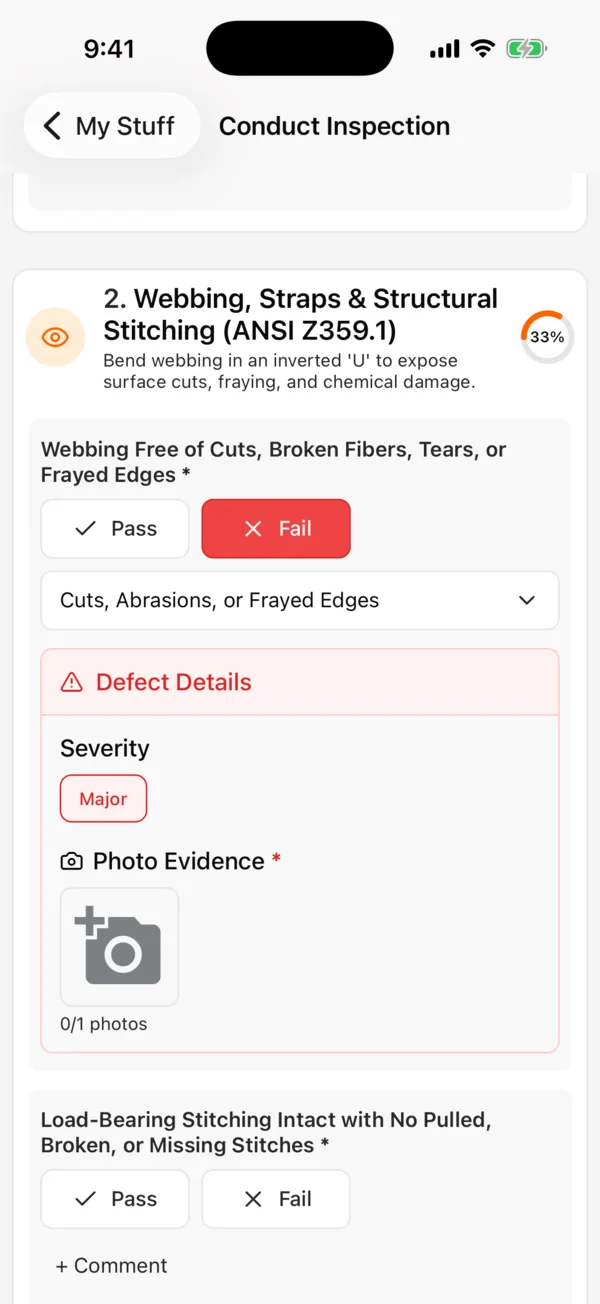
- See what's due before the turnaround starts. Filter upcoming and overdue inspections by unit or area.
- Check out equipment to contract crews. Know who has which harness, monitor, or SCBA, and get it back when the job ends.
- Confirm contractors are qualified. Record their certifications and expiry dates, and require them for the inspections they perform.
- Close out with records in hand. Every inspection done during the turnaround is signed, time-stamped, and ready to share.
Know your inspectors are qualified
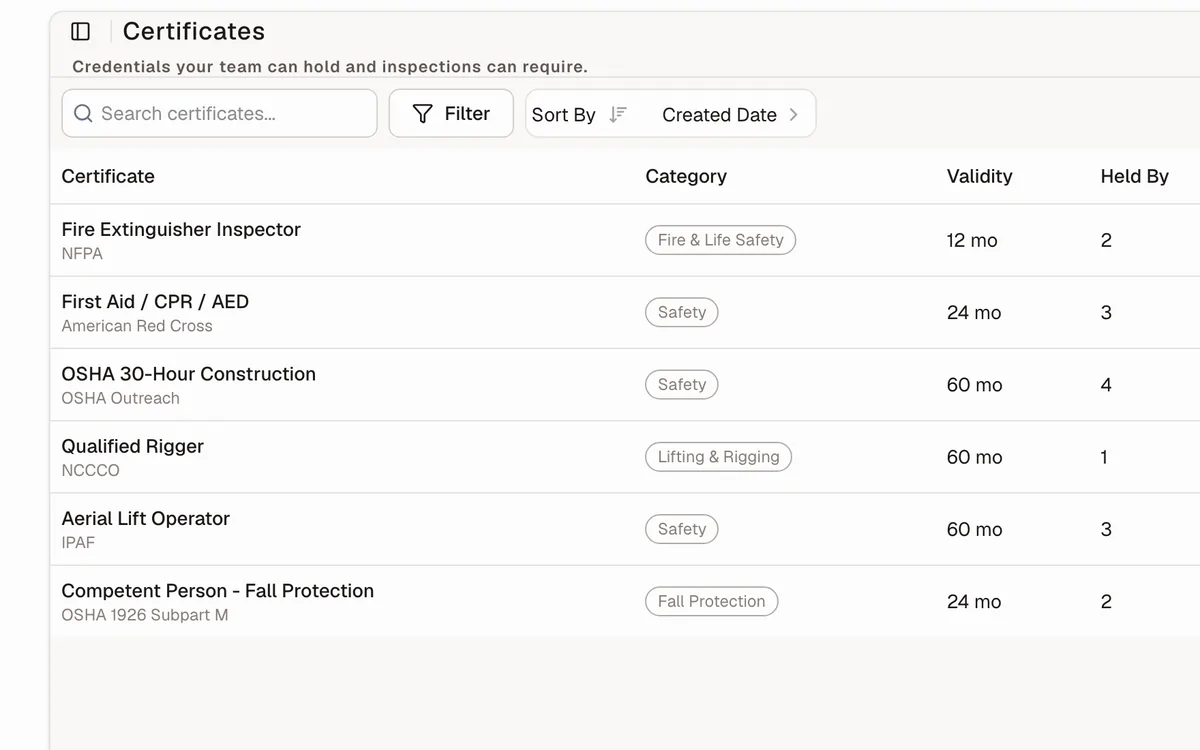
Define the training and certifications each checklist requires, such as a competent person for fall protection or rigging. Track who holds what and when it expires, for employees and contractors alike. Choose how strictly each requirement is enforced: block the inspection, or let it go ahead with a recorded reason.
Organized the way your operation is
Model your structure with nested locations: company, region, field or plant, unit or rig, area. Filter inspections and reports by location, and control who sees what with roles and rights.
Records ready for auditors, operators and insurers
Every inspection is time-stamped, signed, and attributed to the person who did it. Download a PDF or share the record by link, so an operator, auditor, or insurer can review results without an account. Each piece of equipment keeps its full inspection history as it moves between sites.
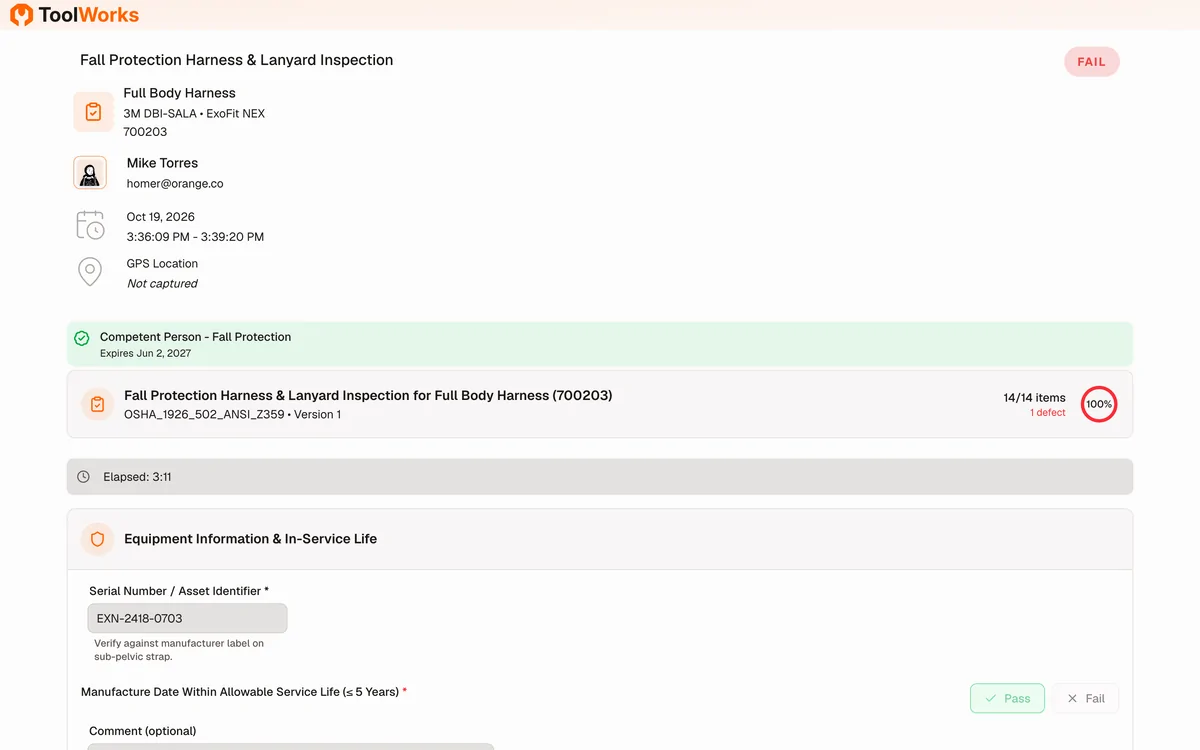
One system for safety equipment, tools and vehicles
The same app tracks the tools, equipment, and vehicles your crews use every day. Check tools in and out, schedule maintenance, run vehicle inspections and DVIRs, and log fuel, without adding another system.
Trusted by industry leaders




Frequently asked questions
Does ToolWorks replace our gas detector docking stations?
No. Docking stations run the bump test or calibration. ToolWorks keeps the inspection record alongside the rest of the detector's history: who checked it, when, the result, and when it's due next.
Does ToolWorks make us OSHA compliant?
No software can do that on its own. ToolWorks helps you run and document your inspection program consistently, and keeps the records you need to show it. Your program and the requirements that apply to your sites remain yours to define.
Can contractors use ToolWorks during a turnaround?
Yes. Users are unlimited, so you can add contract inspectors, track their certifications, and remove their access when the job ends.
Our sites have no cell coverage. Will inspections still work?
Yes. The mobile app works offline and syncs when it's back in range.
Which plan do we need?
Inspections and checklist presets are included in the Professional plan. Recurring inspection schedules and inspector certification tracking are included in Premium. See pricing for details.
How do we get our existing equipment in?
Import from a spreadsheet, or use Snap To Add to photograph equipment and let ToolWorks fill in the details.
Learn more
- Safety equipment inspection: how ToolWorks handles inspections across industrial facilities
- Inspection checklists: how presets, custom checklists, and failure rules work
- Oil and gas jobsite tool and safety equipment management: tools, safety equipment and vehicles across fields, plants and rigs